

How do I make a number public for all users?
Steps to Make a Number Public
Section titled “Steps to Make a Number Public”- Select Settings from the top toolbar
- In the Voicecategory, chooseNumbers
- Select the phone number you want to make public
- In the left pane, select Options
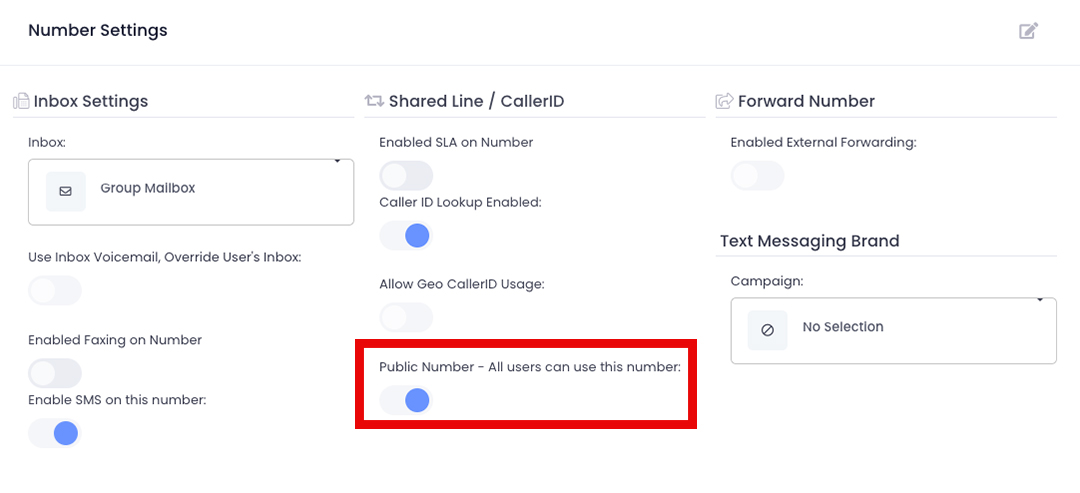
- Click the edit button (pencil and paper icon) in the top right of the ‘Number Settings’ pane
- Toggle ON the setting for “Public Number - All users can use this number”
- Click Save
 Note: To modify which number appears as your outbound caller ID, refer to the caller ID guide.