How do I send a fax?
Via Communicator
Section titled “Via Communicator”To send a fax using the Communicator:
- Navigate to Apps → Communicator if not already there
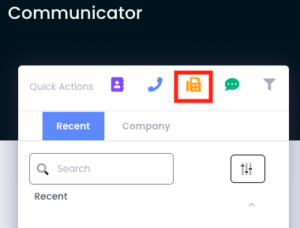
- Select the yellow fax icon quick action
- Enter the recipient’s phone number, select which number to send from, and upload the file (via drag-and-drop or double-click)
Note: “Only numbers that are set-up to fax will appear in the ‘From Number’ drop down menu.” You must also be a member of the fax inbox to access the fax number.
Via Email
Section titled “Via Email”Faxes can alternatively be sent directly through email with the following format:
To:your-fax-phone-number@fax.avidbit.comSubject line:Recipient’s fax numberAttachment: The file to fax