

How do I block a number?
Prerequisites
Section titled “Prerequisites”Before blocking numbers, call blocking must be enabled. Navigate to Settings → Account → Locations → Spam/Blocking. If you encounter a 403 error, you lack the necessary permissions — contact your office administration or AvidBit support for access.
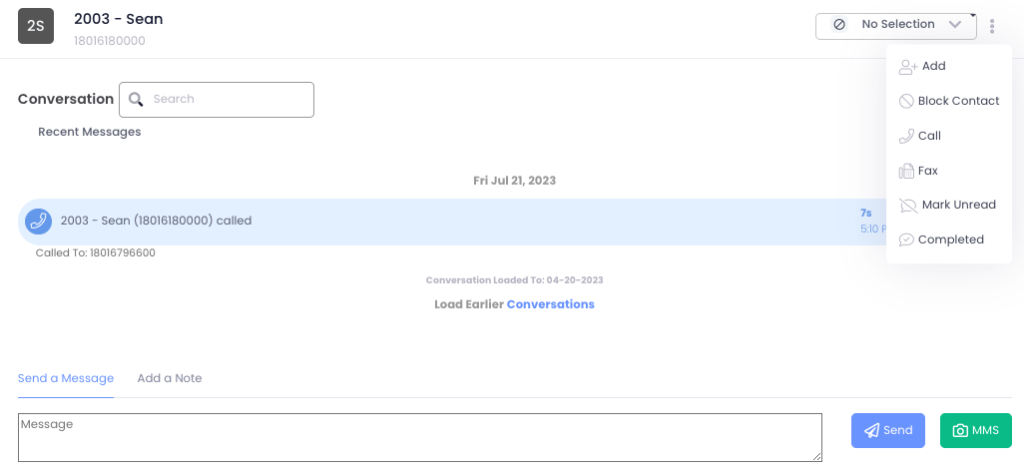
From the Communicator
Section titled “From the Communicator”Users need the ‘Block Numbers’ permission under Billing to use this method.
- Click the vertical ellipses next to your outbound caller ID phone number dropdown menu
- Select the conversation of the person you want to block
- Choose ‘Block Contact’
- Verify the phone number in the dialogue box and click OK — the contact will be added to your blocked list immediately
Manual entry
Section titled “Manual entry”- Go to Settings → Account → Location → Spam/Blocking2. In the “Blocked Numbers (If Call Blocking is Enabled)” pane, click the blue**+Add** button
- Enter the phone number and select Save
- The number will immediately be added to your blocked list